
Target weight controls
Adjust the target quickly, including small jumps and micro-loading.
Plate Pilot
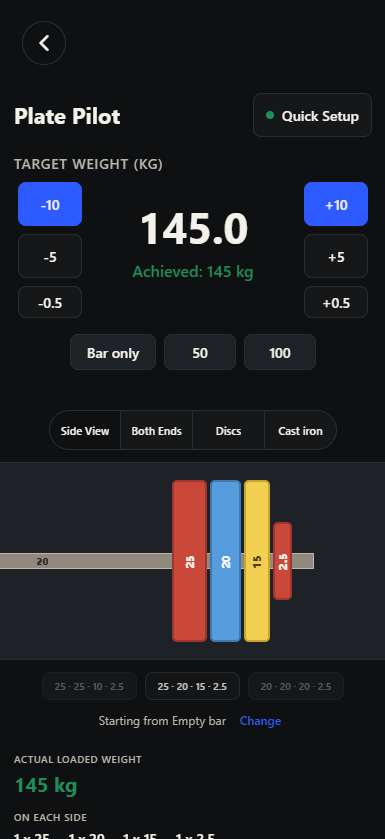
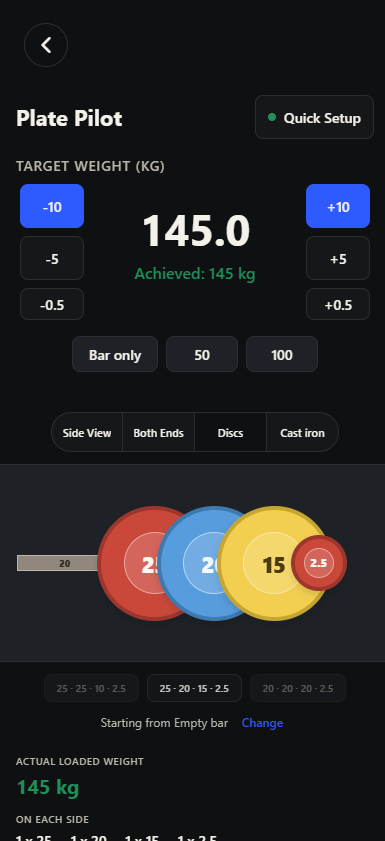
Plate Pilot turns target weight into a visual loading workflow. Match the gym setup, choose the loading mode, and see the actual loaded weight before you lift.

Loading workflow
Adjust the target quickly, including small jumps and micro-loading.
Use available plates, bar weight, and local equipment context.
Side view, both ends, discs, and cast-iron style views.
Know the real loaded total and per-side breakdown before the set.
Why it matters
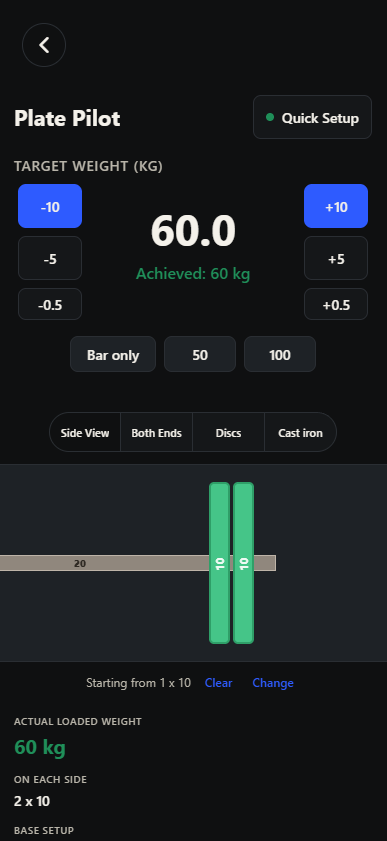
Plate Pilot can calculate from the bar as it is, not only from an empty bar. If the bar already has plates loaded, keep them on and let the workflow show what to add next. In the example, the bar is 20 kg with one 10 kg plate already loaded on each side. To reach 60 kg, the lifter keeps that setup and adds one more 10 kg plate per side.
Alpha access
Potential members receive an alpha code before joining. Use the portal to download the app, sign up, or log in when your code is ready.